A GUIDE FOR PARENTS · ANDROID
Your first story, together.
Start with one of four free stories. You can read it aloud or play the narration before deciding whether Premium is right for your family.
Open Nanuki on Google PlayFree story selection · Adult sign-in required · Full library requires Premium
From download to your first story
Install Nanuki
Open the Google Play listing for Hello Nanuki and tap Install. Then tap Open. If you already have Nanuki, use Update when it is offered.
Sign in as the grown-up
For a new account, use an adult email address that can receive the verification code. Check that inbox, enter the code and follow the on-screen steps. Google Play sign-in and your Nanuki account are separate.
Set up a reading profile
Follow the prompts for a nickname and age so Nanuki can suggest stories. Choose English or Spanish in the app. This is a reading profile inside the adult’s account.
Choose a free story
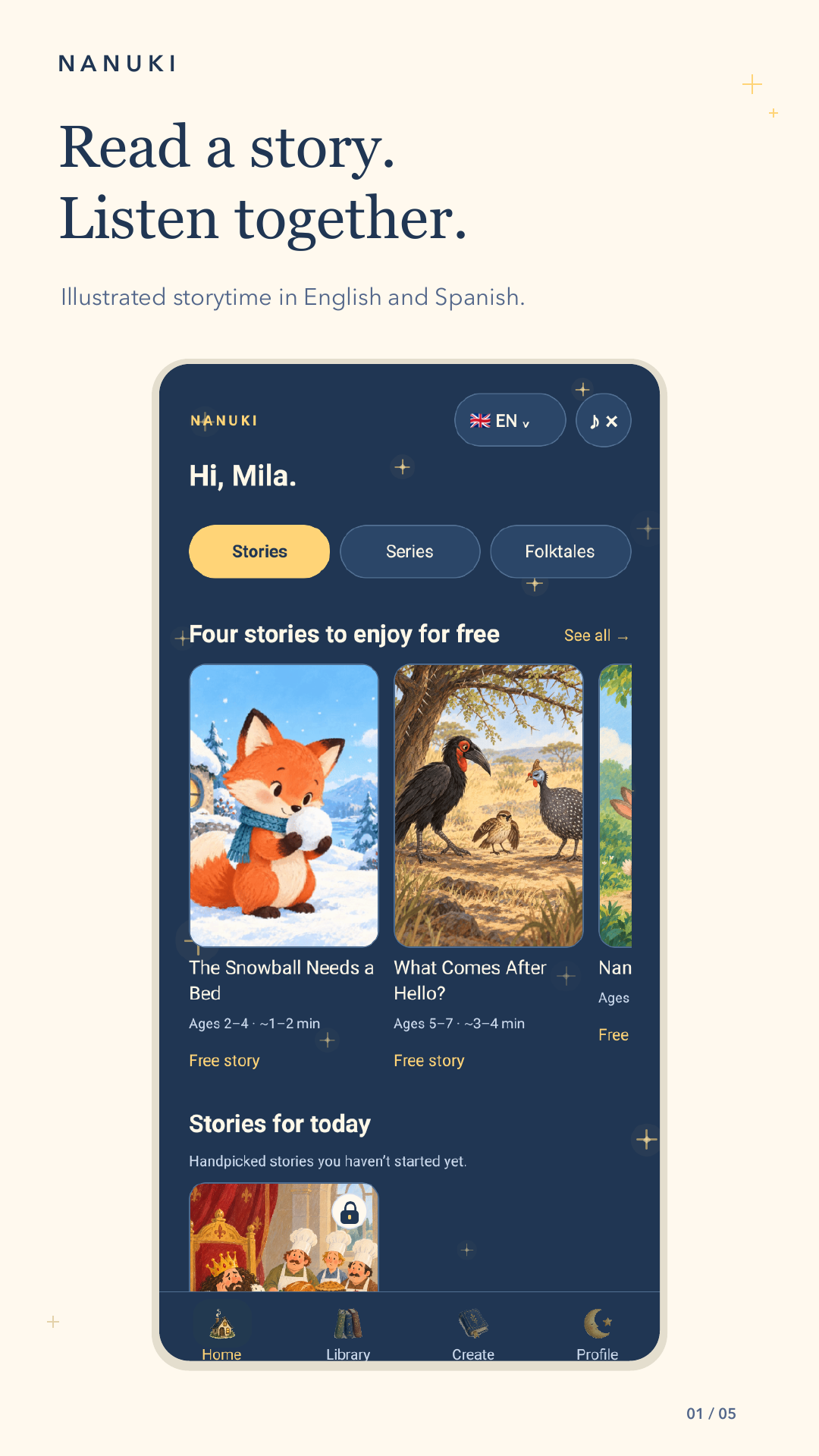
On Home, look for the four free stories and a Free story label. Try “Snowball Needs a Bed”. You do not need to start Premium to open a story from this selection.
Read or listen
Open the story and choose Read without audio to read aloud yourself, or Listen to Nanuki for narration and highlighted text. The app keeps the story open on screen while listening.
Pause and pick it up again
Use the player’s pause control whenever you need a break. Returning from another app does not automatically restart the narration; press play when you are ready.
READ AND RECORD
A familiar voice, even on a tired evening.
Read and record lets a grown-up record a reading to play again. It is optional; microphone permission is needed for recording, not for reading or listening. New recordings stay on that device. Export important recordings before uninstalling or changing devices.
A few things worth knowing
Do we need to subscribe?
No subscription is needed for the four-story free selection. Other stories require Premium. Google Play shows the price and renewal terms before you confirm a subscription.
Can the screen be turned off while listening?
Narration pauses when Nanuki goes into the background. Keep the app open for listening; it is not a screen-off audio player.
What if the sign-in code does not arrive?
Check the email address and your spam folder. Use the resend option when it becomes available. If it still does not arrive, contact support@nanuki.co; never send us a password or sign-in code.
How are the stories created?
Story text, artwork and narration are made with AI assistance and reviewed before release.